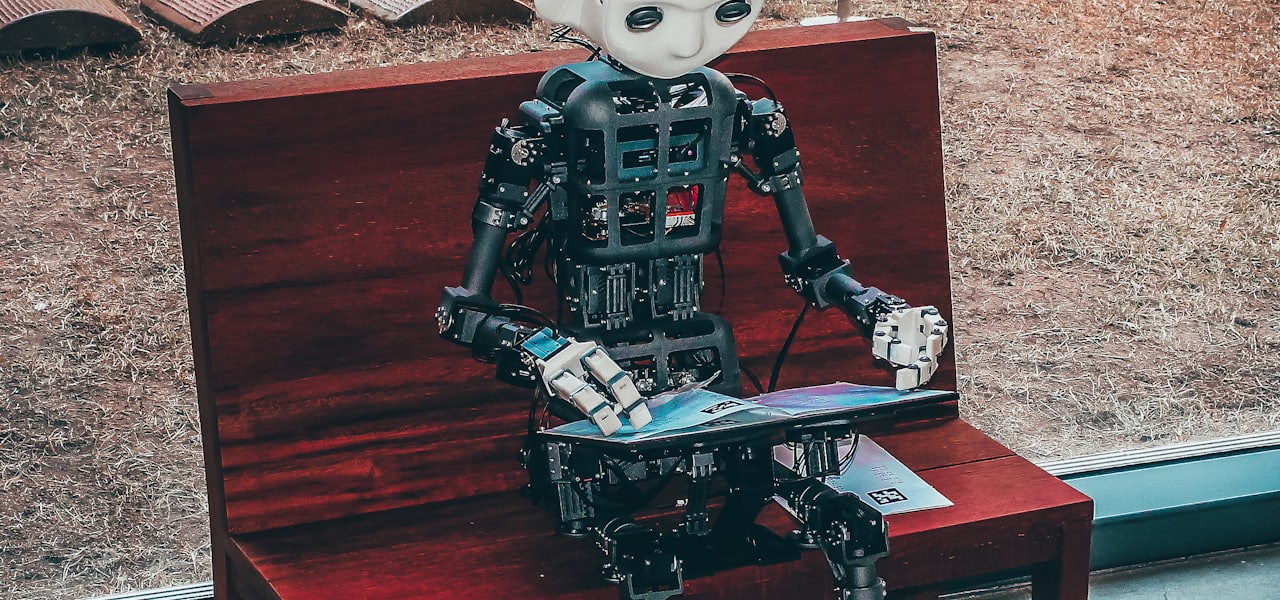
AIXI is a theoretical mathematical formalism for artificial general intelligence. It combines Solomonoff induction with sequential decision theory. AIXI was first proposed by Marcus Hutter in 2000 and several results regarding AIXI are proved in Hutter's 2005 book Universal Artificial Intelligence. AIXI is a reinforcement learning (RL) agent. It maximizes the expected total rewards received from the environment. Intuitively, it simultaneously considers every computable hypothesis (or environment). In each time step, it looks at every possible program and evaluates how many rewards that program generates depending on the next action taken. The promised rewards are then weighted by the subjective belief that this program constitutes the true environment. This belief is computed from the length of the program: longer programs are considered less likely, in line with Occam's razor. AIXI then selects the action that has the highest expected total reward in the weighted sum of all these programs. == Etymology == According to Hutter, the word "AIXI" can have several interpretations. AIXI can stand for AI based on Solomonoff's distribution, denoted by ξ {\displaystyle \xi } (which is the Greek letter xi), or e.g. it can stand for AI "crossed" (X) with induction (I). There are other interpretations. == Definition == AIXI is a reinforcement learning agent that interacts with some stochastic and unknown but computable environment μ {\displaystyle \mu } . The interaction proceeds in time steps, from t = 1 {\displaystyle t=1} to t = m {\displaystyle t=m} , where m ∈ N {\displaystyle m\in \mathbb {N} } is the lifespan of the AIXI agent. At time step t, the agent chooses an action a t ∈ A {\displaystyle a_{t}\in {\mathcal {A}}} (e.g. a limb movement) and executes it in the environment, and the environment responds with a "percept" e t ∈ E = O × R {\displaystyle e_{t}\in {\mathcal {E}}={\mathcal {O}}\times \mathbb {R} } , which consists of an "observation" o t ∈ O {\displaystyle o_{t}\in {\mathcal {O}}} (e.g., a camera image) and a reward r t ∈ R {\displaystyle r_{t}\in \mathbb {R} } , distributed according to the conditional probability μ ( o t r t | a 1 o 1 r 1 . . . a t − 1 o t − 1 r t − 1 a t ) {\displaystyle \mu (o_{t}r_{t}|a_{1}o_{1}r_{1}...a_{t-1}o_{t-1}r_{t-1}a_{t})} , where a 1 o 1 r 1 . . . a t − 1 o t − 1 r t − 1 a t {\displaystyle a_{1}o_{1}r_{1}...a_{t-1}o_{t-1}r_{t-1}a_{t}} is the "history" of actions, observations and rewards. The environment μ {\displaystyle \mu } is thus mathematically represented as a probability distribution over "percepts" (observations and rewards) which depend on the full history, so there is no Markov assumption (as opposed to other RL algorithms). Note again that this probability distribution is unknown to the AIXI agent. Furthermore, note again that μ {\displaystyle \mu } is computable, that is, the observations and rewards received by the agent from the environment μ {\displaystyle \mu } can be computed by some program (which runs on a Turing machine), given the past actions of the AIXI agent. The only goal of the AIXI agent is to maximize ∑ t = 1 m r t {\displaystyle \sum _{t=1}^{m}r_{t}} , that is, the sum of rewards from time step 1 to m. The AIXI agent is associated with a stochastic policy π : ( A × E ) ∗ → A {\displaystyle \pi :({\mathcal {A}}\times {\mathcal {E}})^{}\rightarrow {\mathcal {A}}} , which is the function it uses to choose actions at every time step, where A {\displaystyle {\mathcal {A}}} is the space of all possible actions that AIXI can take and E {\displaystyle {\mathcal {E}}} is the space of all possible "percepts" that can be produced by the environment. The environment (or probability distribution) μ {\displaystyle \mu } can also be thought of as a stochastic policy (which is a function): μ : ( A × E ) ∗ × A → E {\displaystyle \mu :({\mathcal {A}}\times {\mathcal {E}})^{}\times {\mathcal {A}}\rightarrow {\mathcal {E}}} , where the ∗ {\displaystyle } is the Kleene star operation. In general, at time step t {\displaystyle t} (which ranges from 1 to m), AIXI, having previously executed actions a 1 … a t − 1 {\displaystyle a_{1}\dots a_{t-1}} (which is often abbreviated in the literature as a < t {\displaystyle a_{ Fuse Mediation Router is an open source tool for integrating services using Enterprise Integration Patterns based on Apache Camel for use in enterprise IT organizations. It is certified, productized and fully supported by the people who wrote the code. Fuse Mediation Router uses a standard method of notation to go from diagram to implementation without coding. Fuse Mediation Router is a rule-based routing and process mediation engine that combines the ease of basic POJO development with the clarity of the standard Enterprise Integration Patterns. It can be deployed inside any container or be used stand-alone, and works directly with any kind of transport or messaging model to rapidly integrate existing services and applications. Fuse Mediation Router is now a part of Red Hat JBoss Fuse. == Tooling == FuseSource offers graphical, Eclipse-based tooling for Apache Camel for download. Molecular graphics is the discipline and philosophy of studying molecules and their properties through graphical representation. IUPAC limits the definition to representations on a "graphical display device". Ever since Dalton's atoms and Kekulé's benzene, there has been a rich history of hand-drawn atoms and molecules, and these representations have had an important influence on modern molecular graphics. Colour molecular graphics are often used on chemistry journal covers artistically. == History == Prior to the use of computer graphics in representing molecular structure, Robert Corey and Linus Pauling developed a system for representing atoms or groups of atoms from hard wood on a scale of 1 inch = 1 angstrom connected by a clamping device to maintain the molecular configuration. These early models also established the CPK coloring scheme that is still used today to differentiate the different types of atoms in molecular models (e.g. carbon = black, oxygen = red, nitrogen = blue, etc). This early model was improved upon in 1966 by W.L. Koltun and are now known as Corey-Pauling-Koltun (CPK) models. The earliest efforts to produce models of molecular structure was done by Project MAC using wire-frame models displayed on a cathode ray tube in the mid 1960s. In 1965, Carroll Johnson distributed the Oak Ridge thermal ellipsoid plot (ORTEP) that visualized molecules as a ball-and-stick model with lines representing the bonds between atoms and ellipsoids to represent the probability of thermal motion. Thermal ellipsoid plots quickly became the de facto standard used in the display of X-ray crystallography data, and are still in wide use today. The first practical use of molecular graphics was a simple display of the protein myoglobin using a wireframe representation in 1966 by Cyrus Levinthal and Robert Langridge working at Project MAC. Among the milestones in high-performance molecular graphics was the work of Nelson Max in "realistic" rendering of macromolecules using reflecting spheres. Initially much of the technology concentrated on high-performance 3D graphics. During the 1970s, methods for displaying 3D graphics using cathode ray tubes were developed using continuous tone computer graphics in combination with electro-optic shutter viewing devices. The first devices used an active shutter 3D system, generating different perspective views for the left and right channel to provide the illusion of three-dimensional viewing. Stereoscopic viewing glasses were designed using lead lanthanum zirconate titanate (PLZT) ceramics as electronically controlled shutter elements. Active 3D glasses require batteries and work in concert with the display to actively change the presentation by the lenses to the wearer's eyes. Many modern 3D glasses use a passive, polarized 3D system that enables the wearer to visualize 3D effects based on their own perception. Passive 3D glasses are more common today since they are less expensive. The requirements of macromolecular crystallography also drove molecular graphics because the traditional techniques of physical model-building could not scale. The first two protein structures solved by molecular graphics without the aid of the Richards' Box were built with Stan Swanson's program FIT on the Vector General graphics display in the laboratory of Edgar Meyer at Texas A&M University: First Marge Legg in Al Cotton's lab at A&M solved a second, higher-resolution structure of staph. nuclease (1975) and then Jim Hogle solved the structure of monoclinic lysozyme in 1976. A full year passed before other graphics systems were used to replace the Richards' Box for modelling into density in 3-D. Alwyn Jones' FRODO program (and later "O") were developed to overlay the molecular electron density determined from X-ray crystallography and the hypothetical molecular structure. === Timeline === == Types == === Ball-and-stick models === In the ball-and-stick model, atoms are drawn as small sphered connected by rods representing the chemical bonds between them. === Space-filling models === In the space-filling model, atoms are drawn as solid spheres to suggest the space they occupy, in proportion to their van der Waals radii. Atoms that share a bond overlap with each other. === Surfaces === In some models, the surface of the molecule is approximated and shaded to represent a physical property of the molecule, such as electronic charge density. === Ribbon diagrams === Ribbon diagrams are schematic representations of protein structure and are one of the most common methods of protein depiction used today. The ribbon shows the overall path and organization of the protein backbone in 3D, and serves as a visual framework on which to hang details of the full atomic structure, such as the balls for the oxygen atoms bound to the active site of myoglobin in the adjacent image. Ribbon diagrams are generated by interpolating a smooth curve through the polypeptide backbone. α-helices are shown as coiled ribbons or thick tubes, β-strands as arrows, and non-repetitive coils or loops as lines or thin tubes. The direction of the polypeptide chain is shown locally by the arrows, and may be indicated overall by a colour ramp along the length of the ribbon. This is a list of software palettes used by computers. Systems that use a 4-bit or 8-bit pixel depth can display up to 16 or 256 colors simultaneously. Many personal computers in the early 1990s displayed at most 256 different colors, freely selected by software (either by the user or by a program) from their wider hardware's RGB color palette. Usual selections of colors in limited subsets (generally 16 or 256) of the full palette includes some RGB level arrangements commonly used with the 8-bit palettes as master palettes or universal palettes (i.e., palettes for multipurpose uses). These are some representative software palettes, but any selection can be made in such of systems. For specific hardware color palettes, see the list of monochrome and RGB palettes, list of 8-bit computer hardware graphics, the list of 16-bit computer hardware graphics and the list of video game console palettes articles. Each palette is represented by an array of color patches. A one-pixel size version appears below each palette, to make it easy to compare palette sizes. For each unique palette, an image color test chart and sample image (truecolor original follows) rendered with that palette (without dithering) are given. The test chart shows the full 8-bit, 256 levels of the red, green, and blue (RGB) primary colors and cyan, magenta, and yellow complementary colors, along with a full 8-bit, 256 levels grayscale. Gradients of RGB intermediate colors (orange, lime green, sea green, sky blue, violet and fuchsia), and a full hue spectrum are also present. Color charts are not gamma corrected. These elements illustrate the color depth and distribution of the colors of any given palette, and the sample image indicates how the color selection of such palettes could represent real-life images. == System specifics == These are selections of colors officially employed as system palettes in some popular operating systems for personal computers that support 8-bit displays. === Microsoft Windows and IBM OS/2 default 16-color palette === Used by these platforms as a roughly backward compatible palette for the CGA, EGA and VGA text modes, but with colors arranged in a different order. Also, is the default palette for 16 color icons. The corresponding indices into this palette are: === Microsoft Windows default 20-color palette === In 256-color mode, there are four additional standard Windows colors, twenty system reserved colors in total; thus the system leaves 236 palette indexes free for applications to use. The system color entries inside a 256-color palette table are the first ten plus the last ten. In any case, the additional system colors do not seem to add a sharp color richness: they are only some intermediate shades of grayish colors. Since Windows 95, these additional colors can be changed by the system when a color scheme needs custom colors, reducing their utility as static, unchanging palette entries. The complete 20-color Windows system palette is: === Apple Macintosh default 16-color palette === When Apple Computer introduced the Macintosh II in 1987, this 16-color palette was included in System 4.1. === RISC OS default palette === Acorn RISC OS 2.x and 3.x provided this 16-color palette: === Solaris default 16-color palette === Solaris OS used this color palette: == RGB arrangements == These are selections of colors based in evenly ordered RGB levels which provide complete RGB combinations, mainly used as master palettes to display any kind of image within the limitations of the 8-bit pixel depth. === 6 level RGB === Having six levels for every primary, with 6³ = 216 combinations. The index can be addressed by (36×R)+(6×G)+B, with all R, G and B values in a range from 0 to 5. Intended as homogeneous RGB cube, it gives six true grays. Also, there is room for another sorts of 40 colors, so operating systems or programs can add extra colors. Systems that use this software palette are: Web-safe colors Apple Macintosh 256 color default palette. It also contains four gradients of ten shades each for gray, red, green and blue. === 6-7-6 levels RGB === This palette is constructed with six levels for red and blue primaries and seven levels for the green primary, giving 6×7×6 = 252 combinations. The index can be addressed by (42×R)+(6×G)+B, with R and B values in a range from 0 to 5 and G in a range from 0 to 6. The same case as the former, but with an added level of green due to the greater sensibility of the normal human eye to this frequency. It does not provide true grays, but remaining indexes can be filled with four intermediate grays. In any case, there is little room for any other color. === 6-8-5 levels RGB === This palette is constructed with six levels for red, eight levels for green and five levels for the blue primaries, giving 6×8×5 = 240 combinations. The index can be addressed by (40×R)+(5×G)+B, with R ranging from 0 to 5, G from 0 to 7 and B from 0 to 4. Levels are chosen in function of sensibility of the normal human eye to every primary color. Also, it does not provide true grays. Remaining indexes can be filled with sixteen intermediate grays or other fixed colors. In fact, this is the best balanced RGB master software palette, in a compromise between the RGB arrangement based in the human eye's sensibility and a sufficient remaining palette entries for another purposes. === 8-8-4 levels RGB === The 8-8-4 level RGB use eight levels for each of the red and green color components (3+3 high order bits), and four levels (2 low order bits) for the blue component, due to the lesser sensitivity of the normal human eye to this primary color. This results in an 8×8×4 = 256-color palette as follows: This RGB software palette occupies the full 8-bit range of possible palette entries, so there is no room for other fixed colors. Software using this palette must draw their user interface elements with the same colors used to show pictures. Also again, it does not provide true grays. == Other common uses of software palettes == === Grayscale palettes === Simple palette made doing every triplet RGB primaries having equal values as a continuous gradient from black to white through the full available palette entries. Here is the 8-bit, 256 levels palette: Used to display pure grayscale TIFF or JPEG images, for example. === Color gradient palettes === Palettes made of a continuous color gradient from darkest to lightest arbitrary hues. The pixel data is treated as if it were grayscale, but the color table plays with RGB color combinations, not only gray. The relationship between the original luminance and the mapped one can vary, but the lighting scale is preserved along all the palette entries. One very common case of such palettes is the sepia tone palette, which gives an image an old fashioned and aged look (left). Another gradient example, based on blue hues, is presented here (right), but any hue or mixing of hues can be used. Many cell phones with built-in cameras have options to take colorized photos using this technique. === Adaptive palettes === Those whose whole number of available indexes are filled with RGB combinations selected from the statistical order of appearance (usually balanced) of a concrete full true color original image. There exist many algorithms to pick the colors through color quantization; one well known is the Heckbert's median-cut algorithm. Here is the 8-bit, 256 color palette used with the color test chart and the image sample above: Adaptive palettes only work well with a unique image. Trying to display different images with adaptive palettes over an 8-bit display usually results in only one image with correct colors, because the images have different palettes and only one can be displayed at a time. Here is an example of what happens when an indexed color image is displayed with any color palette that is not its own adaptive palette: === False color palettes === Arbitrary gradient color scales, usually 256 shades, with no relationship with real colors of a given image. They are employed to artificially colorize a grayscale image to reveal details and/or to map the pixel level values to amounts of some physical magnitude (potential, temperature, altitude, etc.) Note, in the example above, that new details can be seen as blue over magenta in the background's dark areas of the original photograph. Here is the 8-bit, 256 color gradient palette used with the color test chart and the image sample above: There exist many false color palettes, some of them standardized, used mainly in scientific applications: astronomy and radioastronomy, satellite land imaging, thermography, study of materials, tomography and magnetic resonance imaging in medicine, etc. In computer graphics, per-pixel lighting refers to any technique for lighting an image or scene that calculates illumination for each pixel on a rendered image. This is in contrast to other popular methods of lighting such as vertex lighting, which calculates illumination at each vertex of a 3D model and then interpolates the resulting values over the model's faces to calculate the final per-pixel color values. Per-pixel lighting is commonly used with techniques, such as blending, alpha blending, alpha to coverage, anti-aliasing, texture filtering, clipping, hidden-surface determination, Z-buffering, stencil buffering, shading, mipmapping, normal mapping, bump mapping, displacement mapping, parallax mapping, shadow mapping, specular mapping, shadow volumes, high-dynamic-range rendering, ambient occlusion (screen space ambient occlusion, screen space directional occlusion, ray-traced ambient occlusion), ray tracing, global illumination, and tessellation. Each of these techniques provides some additional data about the surface being lit or the scene and light sources that contributes to the final look and feel of the surface. Most modern video game engines implement lighting using per-pixel techniques instead of vertex lighting to achieve increased detail and realism. The id Tech 4 engine, used to develop such games as Brink and Doom 3, was one of the first game engines to implement a completely per-pixel shading engine. All versions of the CryENGINE, Frostbite Engine, and Unreal Engine, among others, also implement per-pixel shading techniques. Deferred shading is a recent development in per-pixel lighting notable for its use in the Frostbite Engine and Battlefield 3. Deferred shading techniques are capable of rendering potentially large numbers of small lights inexpensively (other per-pixel lighting approaches require full-screen calculations for each light in a scene, regardless of size). == History == While only recently have personal computers and video hardware become powerful enough to perform full per-pixel shading in real-time applications such as games, many of the core concepts used in per-pixel lighting models have existed for decades. Frank Crow published a paper describing the theory of shadow volumes in 1977. This technique uses the stencil buffer to specify areas of the screen that correspond to surfaces that lie in a "shadow volume", or a shape representing a volume of space eclipsed from a light source by some object. These shadowed areas are typically shaded after the scene is rendered to buffers by storing shadowed areas with the stencil buffer. Jim Blinn first introduced the idea of normal mapping in a 1978 SIGGRAPH paper. Blinn pointed out that the earlier idea of unlit texture mapping proposed by Edwin Catmull was unrealistic for simulating rough surfaces. Instead of mapping a texture onto an object to simulate roughness, Blinn proposed a method of calculating the degree of lighting a point on a surface should receive based on an established "perturbation" of the normals across the surface. == Hardware rendering == Real-time applications, such as video games, usually implement per-pixel lighting through the use of pixel shaders, allowing the GPU hardware to process the effect. The scene to be rendered is first rasterized onto a number of buffers storing different types of data to be used in rendering the scene, such as depth, normal direction, and diffuse color. Then, the data is passed into a shader and used to compute the final appearance of the scene, pixel-by-pixel. Deferred shading is a per-pixel shading technique that has recently become feasible for games. With deferred shading, a "g-buffer" is used to store all terms needed to shade a final scene on the pixel level. The format of this data varies from application to application depending on the desired effect, and can include normal data, positional data, specular data, diffuse data, emissive maps and albedo, among others. Using multiple render targets, all of this data can be rendered to the g-buffer with a single pass, and a shader can calculate the final color of each pixel based on the data from the g-buffer in a final "deferred pass". Because deferred shading assumes only one visible fragment per pixel sample, transparent objects are generally handled in a separate forward pass. == Software rendering == Per-pixel lighting is also performed in software on many high-end commercial rendering applications which typically do not render at interactive framerates. This is called offline rendering or software rendering. NVidia's mental ray rendering software, which is integrated with such suites as Autodesk's Softimage is a well-known example. In probability theory and machine learning, the multi-armed bandit problem (sometimes called the K- or N-armed bandit problem) is named from imagining a gambler at a row of slot machines (sometimes known as "one-armed bandits"), who has to decide which machines to play, how many times to play each machine and in which order to play them, and whether to continue with the current machine or try a different machine. More generally, it is a problem in which a decision maker iteratively selects one of multiple fixed choices (i.e., arms or actions) when the properties of each choice are only partially known at the time of allocation, and may become better understood as time passes. A fundamental aspect of bandit problems is that choosing an arm does not affect the properties of the arm or other arms. Instances of the multi-armed bandit problem include the task of iteratively allocating a fixed, limited set of resources between competing (alternative) choices in a way that minimizes the regret. A notable alternative setup for the multi-armed bandit problem includes the "best arm identification (BAI)" problem where the goal is instead to identify the best choice by the end of a finite number of rounds. The multi-armed bandit problem is a classic reinforcement learning problem that exemplifies the exploration–exploitation tradeoff dilemma. In contrast to general reinforcement learning, the selected actions in bandit problems do not affect the reward distribution of the arms. The multi-armed bandit problem also falls into the broad category of stochastic scheduling. In the problem, each machine provides a random reward from a probability distribution specific to that machine, that is not known a priori. The objective of the gambler is to maximize the sum of rewards earned through a sequence of lever pulls. The crucial tradeoff the gambler faces at each trial is between "exploitation" of the machine that has the highest expected payoff and "exploration" to get more information about the expected payoffs of the other machines. The trade-off between exploration and exploitation is also faced in machine learning. In practice, multi-armed bandits have been used to model problems such as managing research projects in a large organization, like a science foundation or a pharmaceutical company. In early versions of the problem, the gambler begins with no initial knowledge about the machines. Herbert Robbins in 1952, realizing the importance of the problem, constructed convergent population selection strategies in "some aspects of the sequential design of experiments". A theorem, the Gittins index, first published by John C. Gittins, gives an optimal policy for maximizing the expected discounted reward. == Empirical motivation == The multi-armed bandit problem models an agent that simultaneously attempts to acquire new knowledge (called "exploration") and optimize their decisions based on existing knowledge (called "exploitation"). The agent attempts to balance these competing tasks in order to maximize their total value over the period of time considered. There are many practical applications of the bandit model, for example: clinical trials investigating the effects of different experimental treatments while minimizing patient losses, adaptive routing efforts for minimizing delays in a network, financial portfolio design In these practical examples, the problem requires balancing reward maximization based on the knowledge already acquired with attempting new actions to further increase knowledge. This is known as the exploitation vs. exploration tradeoff in machine learning. The model has also been used to control dynamic allocation of resources to different projects, answering the question of which project to work on, given uncertainty about the difficulty and payoff of each possibility. Originally considered by Allied scientists in World War II, it proved so intractable that, according to Peter Whittle, the problem was proposed to be dropped over Germany so that German scientists could also waste their time on it. The version of the problem now commonly analyzed was formulated by Herbert Robbins in 1952. == The multi-armed bandit model == The multi-armed bandit (short: bandit or MAB) can be seen as a set of real distributions B = { R 1 , … , R K } {\displaystyle B=\{R_{1},\dots ,R_{K}\}} , each distribution being associated with the rewards delivered by one of the K ∈ N + {\displaystyle K\in \mathbb {N} ^{+}} levers. Let μ 1 , … , μ K {\displaystyle \mu _{1},\dots ,\mu _{K}} be the mean values associated with these reward distributions. The gambler iteratively plays one lever per round and observes the associated reward. The objective is to maximize the sum of the collected rewards. The horizon H {\displaystyle H} is the number of rounds that remain to be played. The bandit problem is formally equivalent to a one-state Markov decision process. The regret ρ {\displaystyle \rho } after T {\displaystyle T} rounds is defined as the expected difference between the reward sum associated with an optimal strategy and the sum of the collected rewards: ρ = T μ ∗ − ∑ t = 1 T r ^ t {\displaystyle \rho =T\mu ^{}-\sum _{t=1}^{T}{\widehat {r}}_{t}} , where μ ∗ {\displaystyle \mu ^{}} is the maximal reward mean, μ ∗ = max k { μ k } {\displaystyle \mu ^{}=\max _{k}\{\mu _{k}\}} , and r ^ t {\displaystyle {\widehat {r}}_{t}} is the reward in round t {\displaystyle t} . A zero-regret strategy is a strategy whose average regret per round ρ / T {\displaystyle \rho /T} tends to zero with probability 1 when the number of played rounds tends to infinity. Intuitively, zero-regret strategies are guaranteed to converge to a (not necessarily unique) optimal strategy if enough rounds are played. == Variations == A common formulation is the Binary multi-armed bandit or Bernoulli multi-armed bandit, which issues a reward of one with probability p {\displaystyle p} , and otherwise a reward of zero. Another formulation of the multi-armed bandit has each arm representing an independent Markov machine. Each time a particular arm is played, the state of that machine advances to a new one, chosen according to the Markov state evolution probabilities. There is a reward depending on the current state of the machine. In a generalization called the "restless bandit problem", the states of non-played arms can also evolve over time. There has also been discussion of systems where the number of choices (about which arm to play) increases over time. Computer science researchers have studied multi-armed bandits under worst-case assumptions, obtaining algorithms to minimize regret in both finite and infinite (asymptotic) time horizons for both stochastic and non-stochastic arm payoffs. === Best arm identification === An important variation of the classical regret minimization problem in multi-armed bandits is best arm identification (BAI), also known as pure exploration. This problem is crucial in various applications, including clinical trials, adaptive routing, recommendation systems, and A/B testing. In BAI, the objective is to identify the arm having the highest expected reward. An algorithm in this setting is characterized by a sampling rule, a decision rule, and a stopping rule, described as follows: Sampling rule: ( a t ) t ≥ 1 {\displaystyle (a_{t})_{t\geq 1}} is a sequence of actions at each time step Stopping rule: τ {\displaystyle \tau } is a (random) stopping time which suggests when to stop collecting samples Decision rule: a ^ τ {\displaystyle {\hat {a}}_{\tau }} is a guess on the best arm based on the data collected up to time τ {\displaystyle \tau } There are two predominant settings in BAI: Fixed budget setting: Given a time horizon T ≥ 1 {\displaystyle T\geq 1} , the objective is to identify the arm with the highest expected reward a ⋆ ∈ arg max k μ k {\displaystyle a^{\star }\in \arg \max _{k}\mu _{k}} minimizing probability of error δ {\displaystyle \delta } . Fixed confidence setting: Given a confidence level δ ∈ ( 0 , 1 ) {\displaystyle \delta \in (0,1)} , the objective is to identify the arm with the highest expected reward a ⋆ ∈ arg max k μ k {\displaystyle a^{\star }\in \arg \max _{k}\mu _{k}} with the least possible amount of trials and with probability of error P ( a ^ τ ≠ a ⋆ ) ≤ δ {\displaystyle \mathbb {P} ({\hat {a}}_{\tau }\neq a^{\star })\leq \delta } . For example using a decision rule, we could use m 1 {\displaystyle m_{1}} where m {\displaystyle m} is the machine no.1 (you can use a different variable respectively) and 1 {\displaystyle 1} is the amount for each time an attempt is made at pulling the lever, where ∫ ∑ m 1 , m 2 , ( . . . ) = M {\displaystyle \int \sum m_{1},m_{2},(...)=M} , identify M {\displaystyle M} as the sum of each attempts m 1 + m 2 {\displaystyle m_{1}+m_{2}} , (...) as needed, and from there you can get a ratio, sum or mean as quantitative probability and sample your formulation for each slots. You can also do ∫ ∑ k ∝ i N − ( Texture compression is a specialized form of image compression designed for storing texture maps in 3D computer graphics rendering systems. Unlike conventional image compression algorithms, texture compression algorithms are optimized for random access. Texture compression can be applied to reduce memory usage at runtime. Texture data is often the largest source of memory usage in a mobile application. == Tradeoffs == In their seminal paper on texture compression, Beers, Agrawala and Chaddha list four features that tend to differentiate texture compression from other image compression techniques. These features are: Decoding Speed It is highly desirable to be able to render directly from the compressed texture data and so, in order not to impact rendering performance, decompression must be fast. Random Access Since predicting the order that a renderer accesses texels would be difficult, any texture compression scheme must allow fast random access to decompressed texture data. This tends to rule out many better-known image compression schemes such as JPEG or run-length encoding. Compression Rate and Visual Quality In a rendering system, lossy compression can be more tolerable than for other use cases. Some texture compression libraries, such as crunch, allow the developer to flexibly trade off compression rate vs. visual quality, using methods such as rate–distortion optimization (RDO). Encoding Speed Texture compression is more tolerant of asymmetric encoding/decoding rates as the encoding process is often done only once during the application authoring process. Given the above, most texture compression algorithms involve some form of fixed-rate lossy vector quantization of small fixed-size blocks of pixels into small fixed-size blocks of coding bits, sometimes with additional extra pre-processing and post-processing steps. Block Truncation Coding is a very simple example of this family of algorithms. Because their data access patterns are well-defined, texture decompression may be executed on-the-fly during rendering as part of the overall graphics pipeline, reducing overall bandwidth and storage needs throughout the graphics system. As well as texture maps, texture compression may also be used to encode other kinds of rendering map, including bump maps and surface normal maps. Texture compression may also be used together with other forms of map processing such as mipmaps and anisotropic filtering. == Availability == Some examples of practical texture compression systems are S3 Texture Compression (S3TC), PVRTC, Ericsson Texture Compression (ETC) and Adaptive Scalable Texture Compression (ASTC); these may be supported by special function units in modern graphics processing units (GPUs). OpenGL and OpenGL ES, as implemented on many video accelerator cards and mobile GPUs, can support multiple common kinds of texture compression - generally through the use of vendor extensions. == Supercompression == A compressed-texture can be further compressed in what is called "supercompression". Fixed-rate texture compression formats are optimized for random access and are much less efficient compared to image formats such as PNG. By adding further compression, a programmer can reduce the efficiency gap. The extra layer can be decompressed by the CPU so that the GPU receives a normal compressed texture, or in newer methods, decompressed by the GPU itself. Supercompression saves the same amount of VRAM as regular texture compression, but saves more disk space and download size. == Neural Texture Compression == Random-Access Neural Compression of Material Textures (Neural Texture Compression) is a Nvidia's technology which enables two additional levels of detail (16× more texels, so four times higher resolution) while maintaining similar storage requirements as traditional texture compression methods. The key idea is compressing multiple material textures and their mipmap chains together, and using a small neural network, that is optimized for each material, to decompress them.Fuse Mediation Router
Molecular graphics
List of software palettes
Per-pixel lighting
Multi-armed bandit
Texture compression